Batch download images from any website using a Linux server
To batch download images from any website using the `wget -i` command, first `cd` to the directory you want to download from. For example, to download images from `/www/wwwroot/site1.xxx.com/data/img`, use the command `cd /www/wwwroot/site1.xxx.com/data/img` to enter that directory. Then execute the following command.

First, use `cd` to navigate to the directory where you want to download the data. For example, if I want to download to `/www/wwwroot/site1.xxx.com/data/img`, then...
Use the command `cd /www/wwwroot/site1.xxx.com/data/img` to enter the directory and then execute the following command.
It can be an absolute path to a file or a remote file.
Absolute path: /www/wwwroot/site1.xxx.com/data/img/xxx.txt
Remote file: https://xxx.xx/tp.txt
wget -i https://xxx.xx/WP-MarketingsForms.xyz.txt -T 1 -t 1 -nH -w 0.1absolute path
wget -i /www/wwwroot/site1.xxx.com/data/img/xxx.txt -T 1 -t 1 -nH -w 0.1Both methods are acceptable; choose whichever suits your needs!
The txt file format includes image links, one link per line, as shown in the screenshot below:

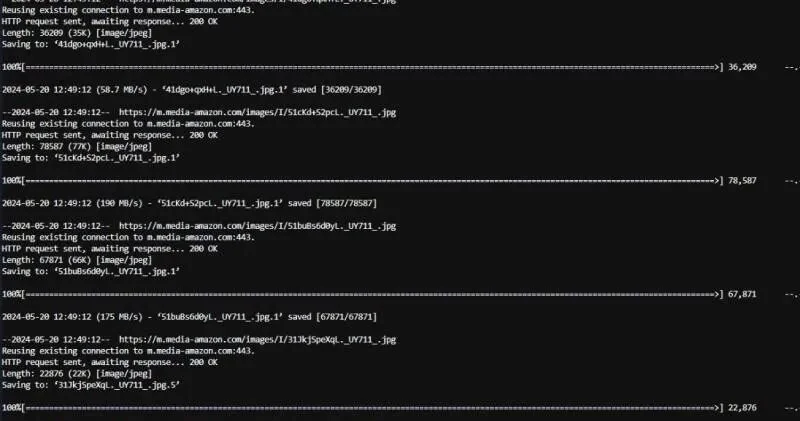
Operating status:







![[Targeted] Chase Sapphire Preferred 25,000 Points Upgrade Offer To Sapphire Reserve](https://ceacer.com/uploads/images/202512/img_w500_693b7343984f74-18555918.webp)

![[Expired] Pepper: Save On Southwest, Giant Eagle, Chipotle & More (Stack With Amex Offer)](https://ceacer.com/uploads/images/202512/img_w500_692e0a0a432f65-20271235.webp)